Report finished.
Time for a review.
Find possible spelling issues and terms that need italics. Review them directly in your Indonesian PDF report.
See the findings. Right on the page.
Select a finding, read its reason, and see the highlighted passage in your PDF.
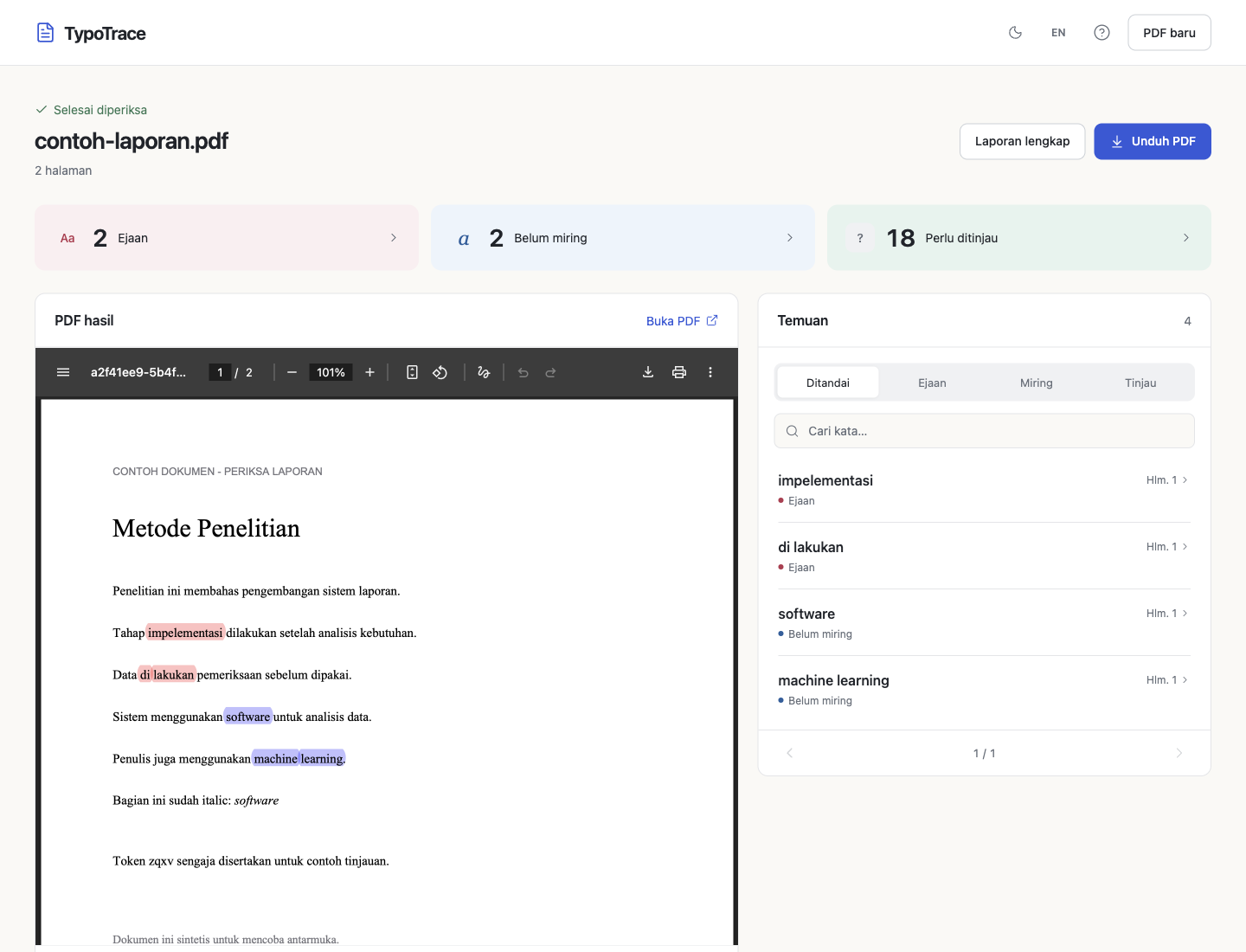
Findings by pageYour original stays intactDownload your results
Three steps to your next revision.
Upload your report
Choose a PDF with selectable text.
Inspect the highlights
Review spelling and formatting in context.
Take it to your revision
Download the annotated PDF to guide edits to your source document.